


Bookkeeping without bookkeeping software
You already pay for Claude or ChatGPT. With this skill, it does the work you'd otherwise pay a bookkeeping app or a bookkeeper for. It books your bank statements, matches payments to invoices, keeps track of VAT or sales tax and unpaid invoices, and depreciates your assets. A month takes a few minutes.
Your accountant gets finished books and an import file for QuickBooks Online, Xero, or DATEV. They check and file instead of typing in your receipts. The skill is free and open source.
Books your accountant can work with
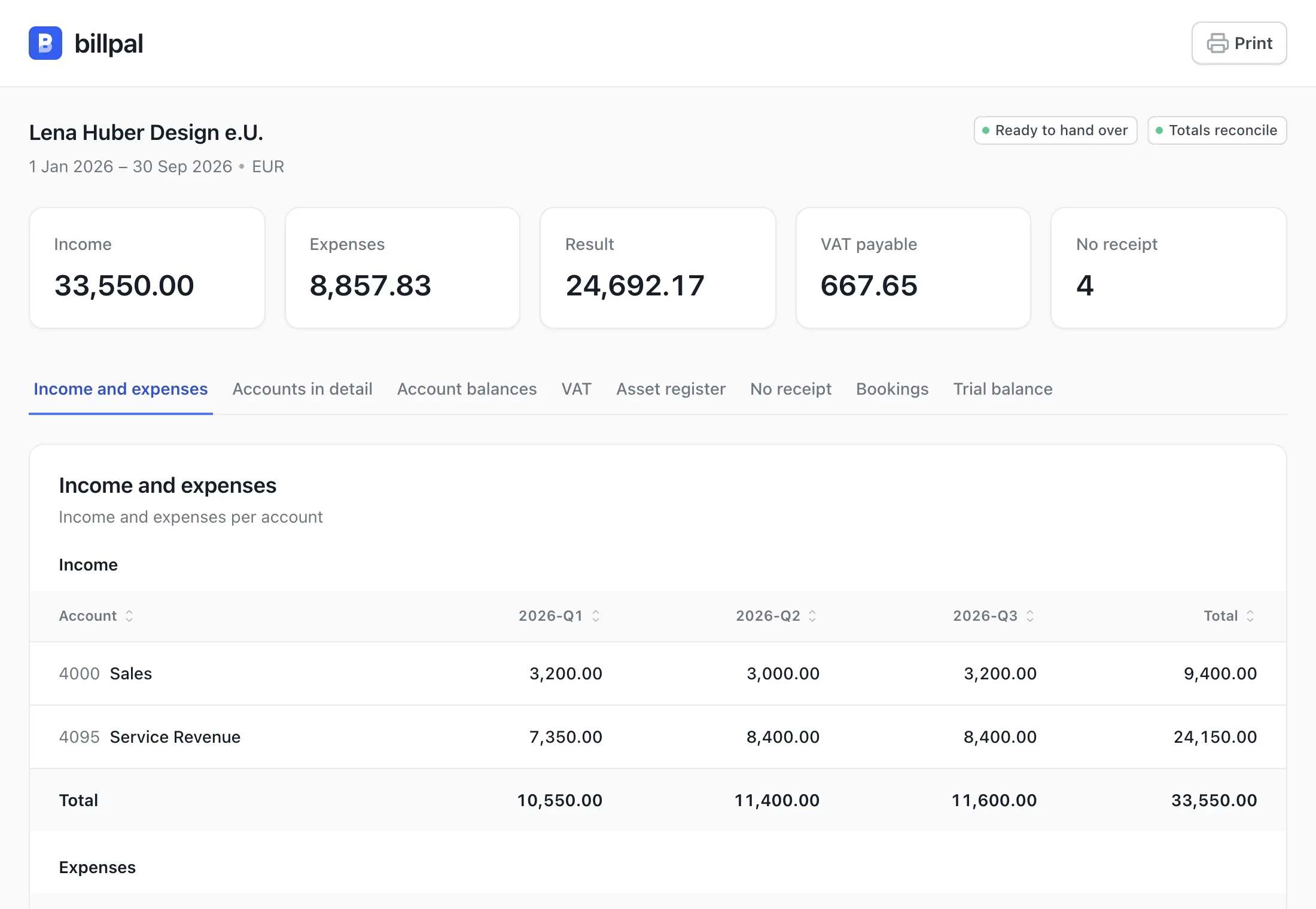
For each period you get the reports your accountant asks for: profit and loss, balance sheet or account balances, VAT or sales tax by period and rate, open invoices, the asset register, and the receipts still missing. As an HTML file with CSV files for Excel, and as an import file for QuickBooks Online, Xero, DATEV, BMD, or DVO. In Claude, also as an artifact if you ask.
The books are one ledger file per fiscal year, in Beancount, a plain-text format for double-entry bookkeeping. Every change creates a new version of the file, so nothing is overwritten. The file is yours: you keep it, and Billpal never stores it.
Cash basis or accrual, with your own chart of accounts
Cash-basis or accrual accounting, with an account for each customer and supplier if you need one. Use your accountant's chart of accounts, or one that comes with the skill: a QuickBooks-style chart for the US, SKR03 and SKR04 for Germany, and the standard chart for Austria.
In the US, it tracks sales tax by state, books meals at 50%, and drafts your Schedule C. In Germany and Austria, it knows the VAT rates, reverse charge, and the limits for low-value assets. Anywhere else, you give it your VAT or GST rates, and it applies them.
Bank statements, cash book, and documents
- CSV exports from your online banking, OFX and QFX downloads, and CAMT.053 files
- MT940, PDF statements, scans, and photos
- A bank connection, such as your bank's own connector
- Your cash book or cash register totals, card statements, Stripe, and PayPal
- Invoices and receipts from the chat, a folder, or Billpal
Each statement must start where the last one ended, and its rows must add up to its closing balance. A missing month, a missing page, or a statement imported twice is caught before anything is booked.
You confirm every booking
For each transaction, the skill proposes the account, the tax treatment, and the receipt, and shows you why. As long as a booking isn't confirmed, its period stays open.
If you agree, recurring payments such as rent or subscriptions become rules, so next month they're booked the same way. The skill never follows instructions written in a payment reference, even if one reads like a command to the AI.
What the script checks
A Python script does every sum and every check, not the model:
- Debits equal credits, and every account matches its bank statement
- VAT, GST, or sales tax split by rate and treatment, including reverse charge and sales tax by state
- Payments matched to invoices by name, account number, or invoice number, never by amount alone, including early-payment discounts and one payment for several invoices. You confirm each match
- Depreciation, low-value assets, and the private-use share, such as part of a car or phone
- No booking in a closed period. A correction is a reversal, never an edit
- Double charges, price increases, and costs that may be assets, flagged before your accountant asks
When a period is complete
A month or quarter is complete when every booking and every tax treatment is confirmed, every account has its statements, nothing is left on the suspense account, where unclear payments wait, and no document is still in review. Until then, the skill lists what's open instead of calling the period complete.
Missing receipts come first in every check, because they're the first thing your accountant asks for.
Invoices and receipts from Billpal
Connected to Billpal, the skill reads your invoices and receipts with the amounts, VAT, and lines you've already checked, including your corrections. Documents still in review are held back.
Each booking links to its document in Billpal, so you and your accountant open the proof in one click. Before it lists missing receipts, the skill checks which of them Billpal already has.
If you ask, the skill marks an invoice as paid in Billpal once its payment is booked and you've confirmed the change. Billpal keeps the documents. The books stay with you.